Photo to coloring page converters
Lines, Shapes or AI: which converter for which photo
A photo-to-coloring-page converter has to throw away almost everything in a photo and keep the outlines a child can fill. There are three ways to decide what to keep, and none of them wins on every picture. Here are all three on the same photos.
Three ways to turn a photo into outlines
| Lines | Shapes | AI lines | |
|---|---|---|---|
| How it works | Finds places where brightness changes sharply and draws them | Groups similar colors into regions, merges small ones, outlines what is left | An image model redraws the photo as a coloring page |
| Where it runs | Your browser | Your browser | Cloudflare Workers AI, after you agree |
| Time per page in our runs | 0.1–0.3 s | 0.7–1.1 s | 3–6 s |
| Limit | None | None | 3 pages a day per visitor |
| Can invent things? | No | No | Yes, in principle: it draws rather than traces |
Lines and Shapes are fixed image-processing code: the same photo and the same settings always give the same page. AI lines uses FLUX.2 [klein] 4B, an image model run on Cloudflare Workers AI, which redraws the photo from an instruction. Huepad then thresholds the result to pure black and white and opens up large solid black areas into outlines, so a black dog becomes something you can color in.
Three photos, three styles
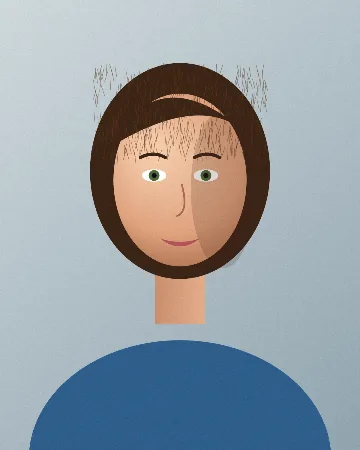
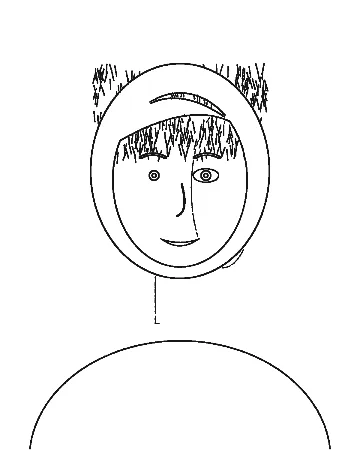
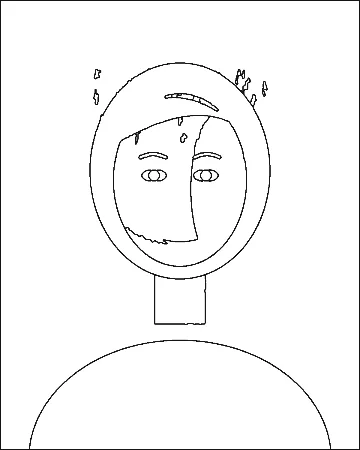
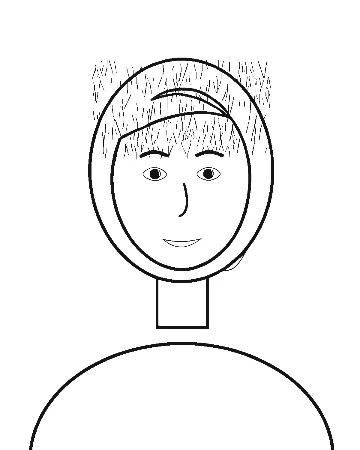
All three test photos are drawn, not photographed: an orange tabby with fur texture, a black dog (dark fur is hard because detail hides in the shadows) and a portrait lit from one side. Lines and Shapes ran at their defaults. The AI pages are from the same model on the same pictures, put through the same clean-up step the live tool uses.
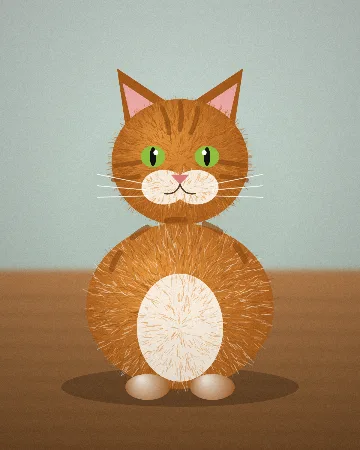
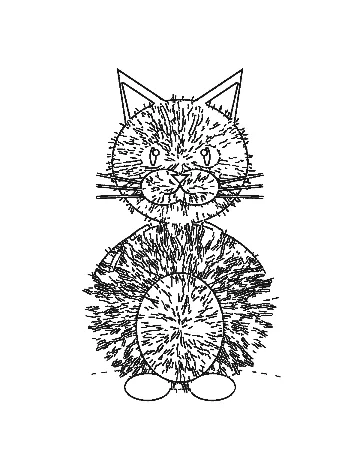
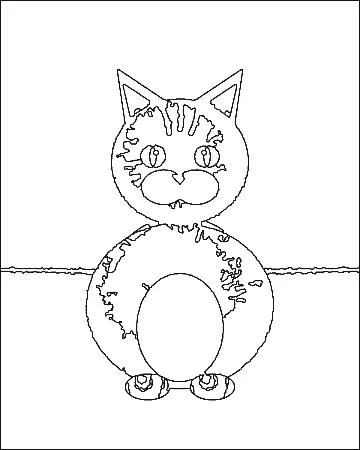
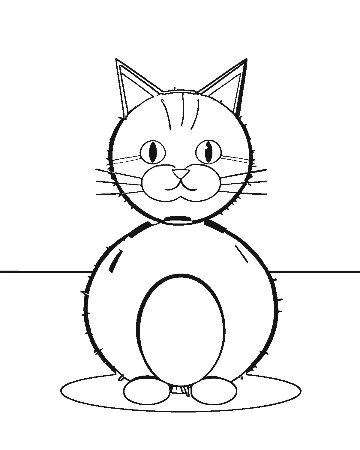
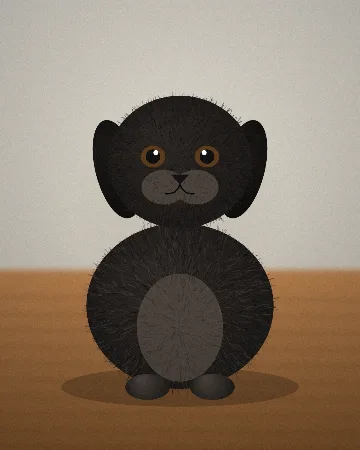
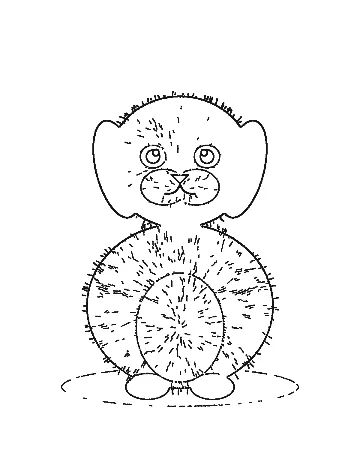
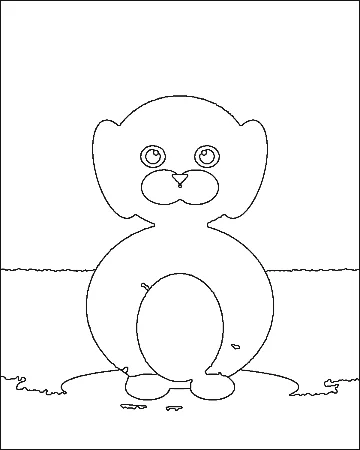
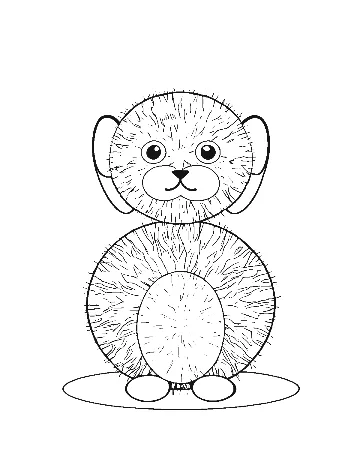
What each style is good at
Lines: drawings, buildings, toys, anything with hard edges
Lines is the most literal. It keeps every sharp edge, which is exactly right for a child’s drawing, a house, a car or a toy, and wrong for fur and hair, where every strand is an edge. On our tabby it printed 10.7% of the page black, more than twice the AI page. It is also the fastest and the most forgiving of dim or hazy photos (see the photo test).
Shapes: pets and people, if the light is even
Shapes produces what a coloring book looks like: closed areas with a single outline. It handled the black dog best of the three. Its weaknesses are small features, which can merge into their surroundings, and shadows, which it treats as just another color. Raise Colors to keep more detail, lower it for younger children.
AI lines: busy photos, side light, portraits
The AI was the cleanest on the cat and the portrait because it understands what a cat and a face are and ignores fur texture and shadows. The price is control and certainty. It is a redraw, not a trace: on our pictures it stayed faithful, but an image model can add or drop details, so check the page against the photo before printing a gift. It needs an upload, takes a few seconds, and huepad allows three a day per visitor.
Choosing by photo
| Your photo | Start with | Why |
|---|---|---|
| Child’s drawing, cartoon, logo | Lines | The edges are already the drawing. |
| Short-haired or dark pet, even light | Shapes | Big closed areas, no fur strokes. |
| Long-haired pet, busy fur pattern | AI lines | Ignores texture; Lines and Shapes both fight it. |
| Portrait with a shadow across the face | AI lines | Drops the shadow; the others draw it. |
| House, car, landmark | Lines | Straight hard edges trace cleanly. |
| Photo you cannot upload (privacy, school rules) | Shapes or Lines | Both run on your device. |
Uploads and privacy
With AI lines the photo is resized to at most 1024 pixels on the long side and sent to huepad’s own server on Cloudflare, which passes it to the model and returns the drawing. Cloudflare’s Workers AI data usage page says it does not use customer content to train models and does not keep inputs or outputs once the response is delivered. Huepad does not keep the photo or the result; it only counts how many pages each visitor made that day, using a salted hash of the IP address that is deleted after two days.
If you plan to sell the pages
Amazon KDP asks publishers to tell it about AI-generated content, which it defines as images created by an AI-based tool, even if you edit them afterwards (KDP content guidelines). A page made with AI lines falls under that definition. Lines and Shapes pages are made by ordinary image-processing code, not an AI model. The KDP guide has the rest of the rules.
How we measured. tools/guides/measure.cjs in the site’s source, run on 2026-10-29. The AI pages are FLUX.2 [klein] 4B outputs from the same day put through huepad’s clean-up; times for Lines and Shapes are from headless Chrome on a laptop, the AI time is the range we saw per page through Workers AI.
Try all three styles on your photo →
Sources
- flux-2-klein-4b · Cloudflare Workers AI docs · read 29 October 2026
- Data usage · Cloudflare Workers AI docs · read 29 October 2026
- Content Guidelines: AI-generated content · KDP Help · read 29 October 2026
Read next
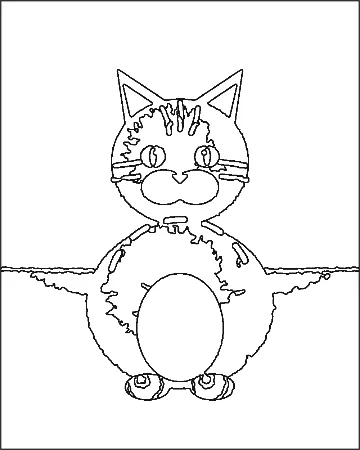 Photo to coloring pageHow to turn a photo into a coloring pageTurn a photo into a printable coloring page in five steps, plus a test of what makes a photo convert well: we ran one picture six ways and counted the areas.Free photo to coloring pageFree photo to coloring page tools: what “free” actually gets youFour photo-to-coloring-page tools checked in October 2026: free page limits, sign-up, whether your photo is uploaded, and whether you may sell the result.
 Amazon KDP coloring booksHow to make a coloring book to sell on Amazon KDPMake and publish a coloring book on Amazon KDP: trim size, page count, bleed, printing cost and royalty worked out from KDP’s own help pages, and the AI disclosure rule.