Nothing is uploaded
With Lines (and Shapes) the photo is decoded and converted by your browser, in a background thread of this page; it is never sent anywhere. Only the optional AI lines kind uploads a photo, and it asks first.
Keeps the drawing's own lines · Made on your device
Photograph or scan a drawing, then print its outlines to color again. It is converted on this device with Lines; nothing is uploaded.
Free for personal and commercial use, including KDP — no credit needed. Designs are not exclusive: the same settings always draw the same page.
Same style, settings and number always draw the same page.
10 PDF pages · KDP needs 24+
Free for commercial use, including KDP — no credit needed. Not exclusive: same settings, same pages.
or drop it on the page preview · JPEG, PNG or WebP, up to 20 MB
Showing the sample scene
Converted on this device; the photo is never uploaded or saved.
Adds 0.125 in to the width and 0.25 in to the height for books printed with bleed.
Sizes follow KDP's trim, bleed and margin help page (read 27 October 2026).
Ready.
A crayon drawing photographed on a desk, with a paper fold and uneven light (a drawing we made for this page), then converted here. Lines keeps each crayon stroke as one bold outline and drops the paper; Shapes is the wrong tool for a drawing, because it outlines both sides of every stroke and picks up the fold.
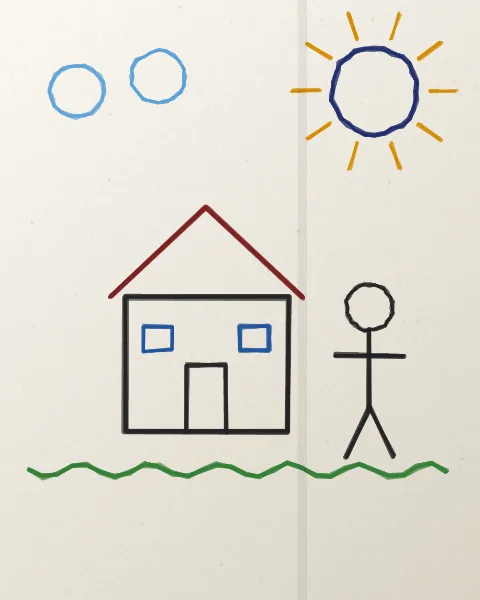
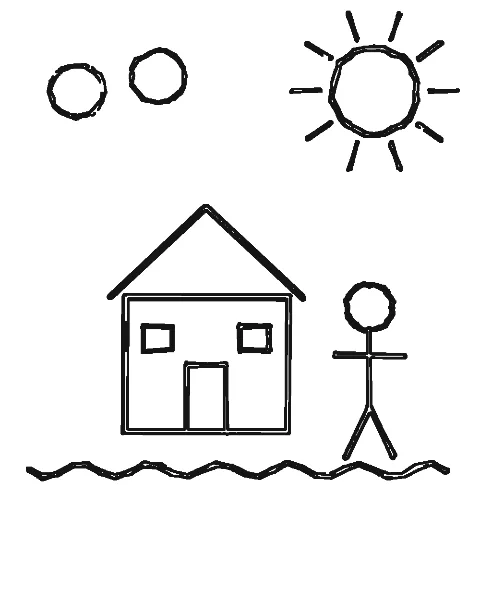
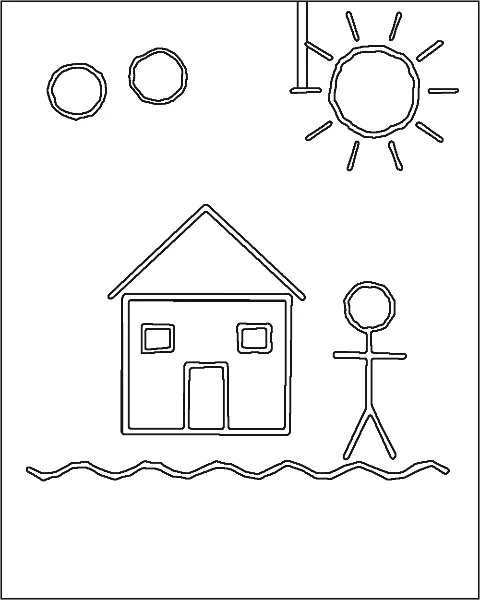
The converter keeps what is darker than the paper around it, so a clean, evenly lit picture matters more than any slider.
Starting points; the preview updates as you move a slider, and Compare with photo shows what was kept.
| Drawing | Detail | Smoothing | Clean up specks | Line weight | Notes |
|---|---|---|---|---|---|
| Crayon or marker outlines | 40 | 1 | 3 | Bold | The usual case: each stroke becomes one outline. Use these |
| Pencil drawing | 60 | 1 | 2 | Medium | Pencil is faint; more Detail keeps light strokes. Press harder next time, or trace it with a marker first. Use these |
| Drawing already colored in | 35 | 2 | 4 | Bold | Filled areas turn back into outlines where the color changes, ready to color again. Use these |
| On lined or squared paper | 30 | 2 | 6 | Bold | Low Detail drops most printed lines; light blue lines vanish first. Plain paper works best. Use these |
With Lines (and Shapes) the photo is decoded and converted by your browser, in a background thread of this page; it is never sent anywhere. Only the optional AI lines kind uploads a photo, and it asks first.
Reloading or closing the page discards the photo. Only your slider settings are remembered in this browser, so the next drawing opens with the same settings.
Open this page, turn off Wi-Fi or mobile data, then choose a drawing: it still converts, because the work happens on your device.
Tested advice for better pages. All guides
Lines. A drawing is already made of lines, and Lines keeps each stroke as one outline. Shapes is for photos of pets and people: on a drawing it outlines both sides of every stroke.
The stroke was faint or the light was uneven. Raise Detail, or photograph the drawing again in even daylight. Light colors such as yellow are the faintest; going over them with a darker crayon helps.
The drawing is fitted to the page inside a margin of about half an inch. Choose Fill the page under Photo on page to crop it to the paper's shape, or crop the photo close before choosing it.
Yes: no account, no limit on pages and no watermark. Pages you make are yours to print, share or use commercially.