Amazon KDP coloring books
How to make a coloring book to sell on Amazon KDP
Coloring books are print-on-demand at its simplest: no text to proofread, a fixed page size, black ink only. The decisions that change your profit are few and mostly arithmetic. Here they are, worked out from KDP’s own help pages as of 29 October 2026.
1. Pick the trim size
Most coloring books on KDP are one of two large trims. Both take black-ink interiors on white paper:
| Trim | In cm | Pages allowed | PDF page with bleed |
|---|---|---|---|
| 8.5 × 11 in | 21.59 × 27.94 | 24 to 590 | 8.625 × 11.25 in |
| 8 × 10 in | 20.32 × 25.4 | 24 to 828 | 8.125 × 10.25 in |
Source: KDP, Set Trim Size, Bleed, and Margins, read 29 October 2026. Bleed adds 0.125 in to the outside edge and to the top and bottom.
8.5 × 11 in matches US Letter, so the same file prints at home for proofing. 8 × 10 in is a little smaller and more like a gift book. Neither changes the printing cost, because KDP prices every “large” trim the same.
2. Decide on bleed
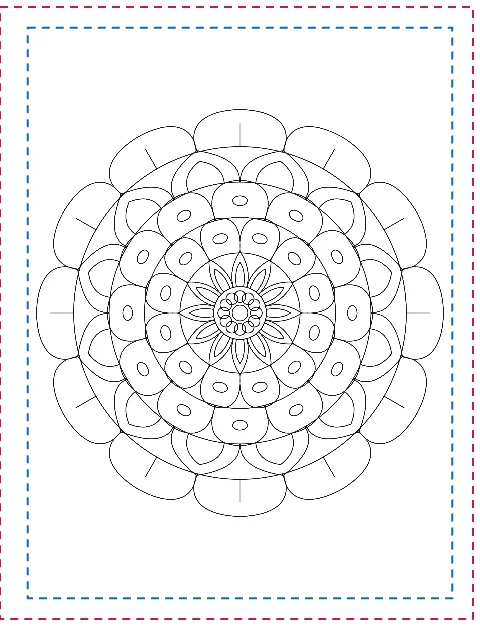
Bleed is for pages where ink runs to the edge of the paper. Coloring pages normally have white margins, so they do not need it. Choose bleed only if some pages run to the edge, such as a full-page border. Without bleed, KDP wants at least 0.25 in of margin on the top, bottom and outside; with bleed, 0.375 in. The inside (gutter) margin is 0.375 in for 24 to 150 pages. Huepad keeps drawings 0.5 in inside the page either way, which clears all of them.
3. Blank backs, and why they are free
Readers color with markers, and markers soak through. The usual answer is to print each design on the right-hand page and leave the back blank, which doubles the page count. On KDP that usually costs nothing, because printing a large-trim book is a flat fee up to 110 pages:
| Designs | Pages with blank backs | Printing cost (Amazon.com) | Working |
|---|---|---|---|
| 12 | 24 | $2.84 | fixed fee, 24–110 pages |
| 25 | 50 | $2.84 | fixed fee |
| 50 | 100 | $2.84 | fixed fee |
| 60 | 120 | $3.04 | $1.00 + 120 × $0.017 |
| 100 | 200 | $4.40 | $1.00 + 200 × $0.017 |
Source: KDP, Paperback Printing Cost, read 29 October 2026: black ink, large trim (wider than 6.12 in or taller than 9 in), $2.84 fixed for 24–110 pages; above that $1.00 plus $0.017 a page. KDP’s table lists 110 pages in both ranges.
So up to 55 designs, blank backs cost you nothing. That is also why so many coloring books stop at about 50 designs.
4. Price it: the $9.99 line
KDP pays 50% of the list price below $9.99 on Amazon.com and 60% from $9.99, minus printing (KDP, Paperback Royalty). For a 100-page book (50 designs with blank backs) printing at $2.84:
| List price | Rate | Royalty per sale |
|---|---|---|
| $7.99 | 50% | $1.16 (0.50 × 7.99 − 2.84) |
| $9.98 | 50% | $2.15 (0.50 × 9.98 − 2.84) |
| $9.99 | 60% | $3.15 (0.60 × 9.99 − 2.84) |
| $12.99 | 60% | $4.95 (0.60 × 12.99 − 2.84) |
One cent between $9.98 and $9.99 is a dollar more per copy. If you price under $10, price at $9.99.
5. Make the interior
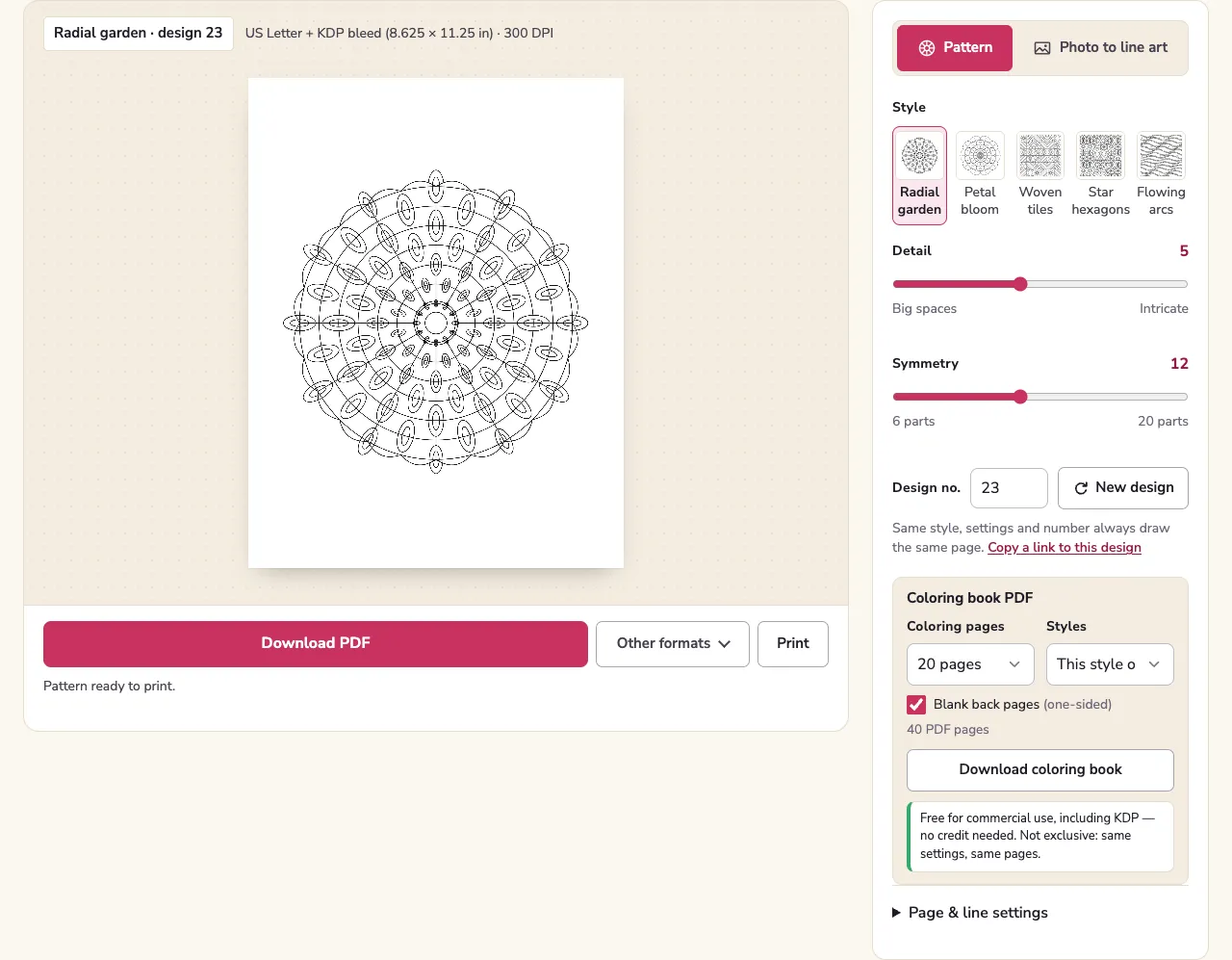
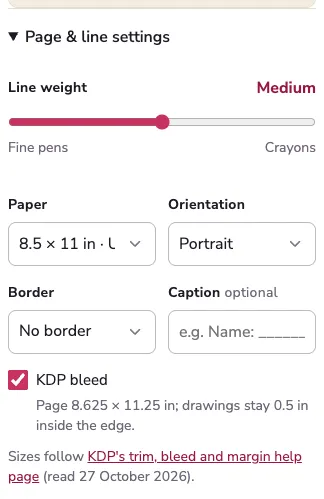
- Open the KDP interior page. It starts on US Letter; choose 8 × 10 in under Page & line settings if you want that trim.
- Tick KDP bleed only if you decided you need it. The page size label updates (8.625 × 11.25 in for Letter).
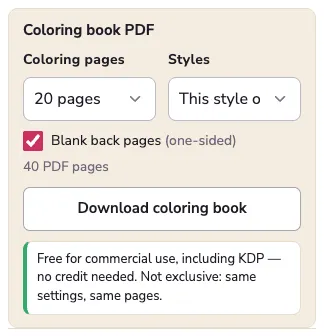
- Under Coloring book PDF, choose the number of designs and tick Blank back pages. The PDF page count shows below; it must be 24 or more.
- Download the coloring book. It is one vector PDF at the exact page size; upload it as the manuscript.
- Order a proof copy. Proofs carry a “Not for Resale” mark and exist to check the print before you publish (KDP).
6. The AI question
When you publish, KDP asks whether the book contains AI-generated content, which it defines as text or images “created by an AI-based tool”, even after substantial edits; content you made yourself and only refined with AI tools is “AI-assisted” and does not need declaring (KDP content guidelines). For pages from huepad:
- Pattern pages (mandalas, tiles, arcs) are drawn by fixed geometry code. No AI model is involved.
- Lines and Shapes photo pages are made by image-processing code on your device. No AI model is involved.
- AI lines pages are redrawn by an image model, and so are the pages in our coloring page gallery, which were drafted with an image model and reviewed by hand. Both are AI-generated in KDP’s sense.
We are not KDP; read its guideline and answer for your own book.
7. Make it yours
Huepad’s pages are free for commercial use, but not exclusive: the same settings make the same page for anyone, and so do the gallery pages. Books that sell tend to have a theme a buyer is looking for and pages nobody else has. Your own photos turned into Shapes pages, a design number you picked, or a caption on every page all help.
Numbers. All KDP figures are for Amazon.com, black ink on white paper, read 29 October 2026. Other marketplaces have their own thresholds (for example 7.99 GBP on Amazon.co.uk); the royalty page lists them.
Sources
- Set Trim Size, Bleed, and Margins · KDP Help · read 29 October 2026
- Paperback Printing Cost · KDP Help · read 29 October 2026
- Paperback Royalty · KDP Help · read 29 October 2026
- Content Guidelines: AI-generated content · KDP Help · read 29 October 2026
- Proof and Author Copies · KDP Help · read 29 October 2026
Read next
 Custom coloring booksA custom coloring book from your own photosTurn family or pet photos into a custom coloring book: print at home, order a bound KDP proof copy, or use a printing service. Page counts, binding and real costs.Printing coloring pagesColoring page sizes and paper, worked outWhat size to print coloring pages, what happens when an A4 page meets Letter paper, how line weight changes with size, and which paper weight to use, in lb and gsm.
 Photo to coloring page convertersLines, Shapes or AI: which converter for which photoThe same three photos converted three ways: traced edges, closed areas and an AI redraw. What each style keeps, what it loses, how long it takes and what it costs you.