Low contrast
- A white or cream pet on a pale sofa, bed or wall
- A black pet in a dim room
- Strong light from behind (a window)
Fix: put the pet against a darker or lighter background, or raise Colors.
Closed areas, not fur scribbles · Made on your device
Choose a photo of your dog or cat. Shapes flattens the fur and outlines each area, so every space on the page is closed and ready to color.
Free for personal and commercial use, including KDP — no credit needed. Designs are not exclusive: the same settings always draw the same page.
Same style, settings and number always draw the same page.
10 PDF pages · KDP needs 24+
Free for commercial use, including KDP — no credit needed. Not exclusive: same settings, same pages.
or drop it on the page preview · JPEG, PNG or WebP, up to 20 MB
Showing the sample scene
Converted on this device; the photo is never uploaded or saved.
Adds 0.125 in to the width and 0.25 in to the height for books printed with bleed.
Sizes follow KDP's trim, bleed and margin help page (read 27 October 2026).
Ready.
A tabby cat on a wooden floor (a picture we drew for this page, with fur texture and camera noise like a phone photo). Lines traces every hair and leaves a page of scribbles. Shapes smooths the fur, reduces the picture to 8 colors, merges the small bits and outlines what is left, so the stripes, eyes and muzzle become closed areas to color.
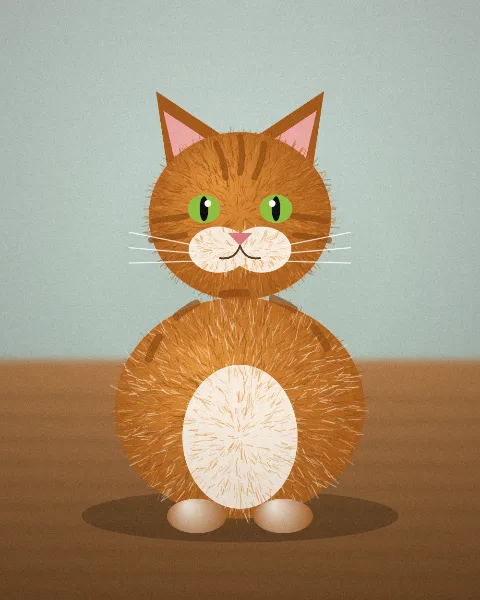
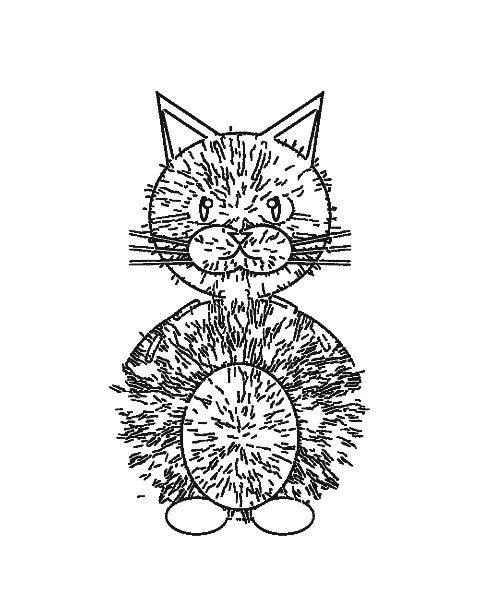
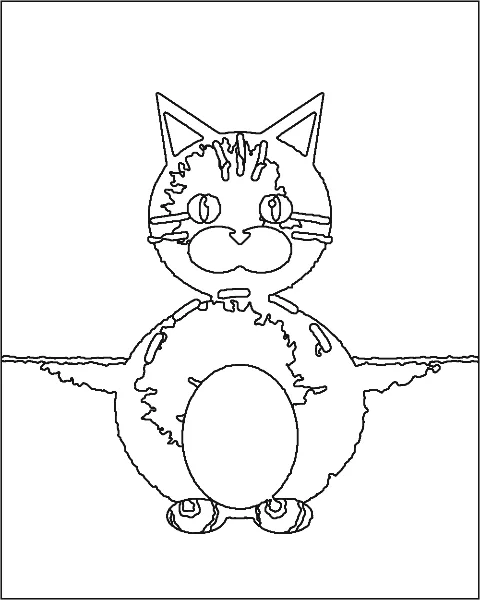
All with Shapes. Colors sets how many tones the photo is reduced to; more colors also keep fainter borders, such as a white dog against a cream wall. Smoothing flattens fur; Clean up merges areas smaller than its size into their neighbours.
| Fur | Colors | Smoothing | Clean up specks | Line weight | What to expect |
|---|---|---|---|---|---|
| Orange, tabby, brown | 8 | 4 | 5 | Medium | Stripes and markings stay as areas of their own. Use these |
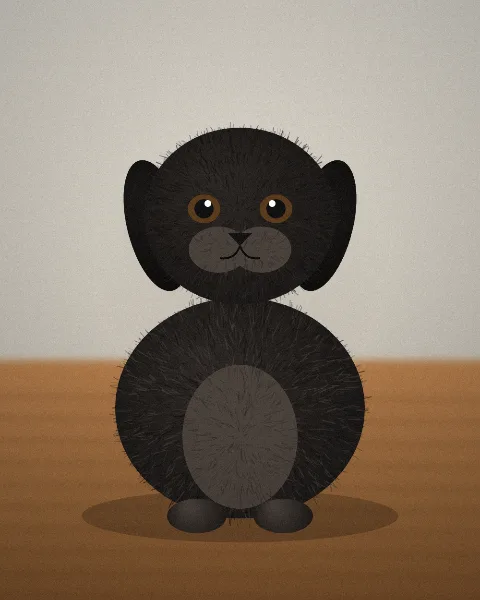
| Black or very dark | 8 | 4 | 5 | Medium | A clean outline with eyes, nose and chest; the dark fur itself becomes one area. Light the pet from the front. Use these |
| White or cream | 12 | 3 | 4 | Medium | At 8 colors a white pet on a pale wall loses its outline; 12 brings it back. A darker background is better still. Use these |
| Patched: calico, tricolor, spotted | 10 | 4 | 5 | Medium | One more tone per coat color keeps each patch. Use these |
| Long, fluffy fur | 6 | 5 | 6 | Bold | Fewer, larger areas; good for young children. Use these |
The dark dog stands out from a light wall, so the default settings give a clean page. The white dog against a cream wall is the hard case: at 8 colors its head and back merge into the wall, and 12 colors bring the outline back with more fur detail.
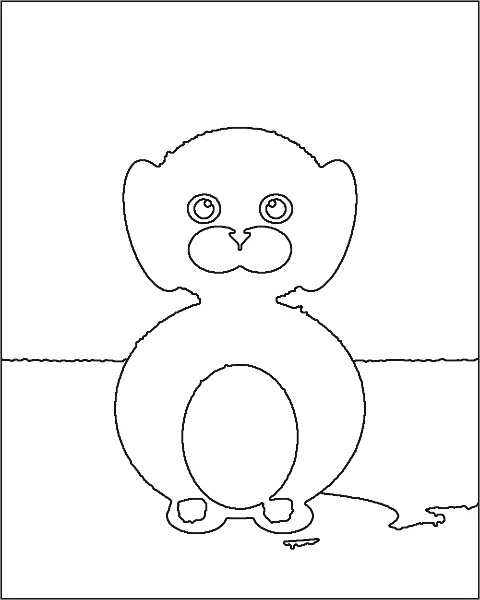
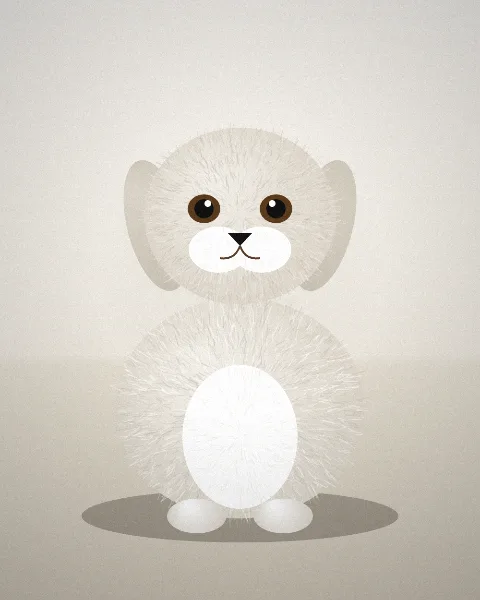
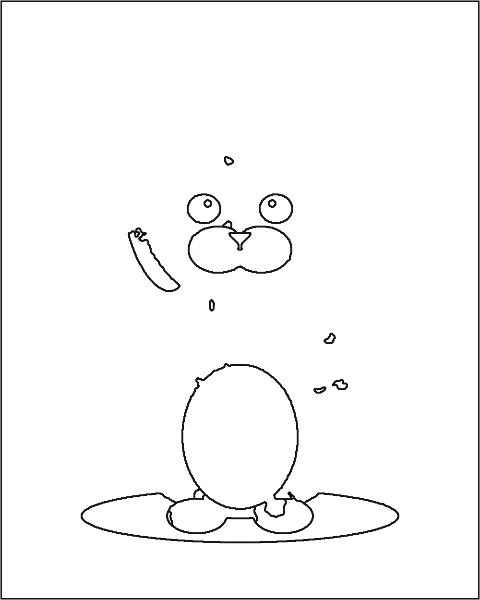
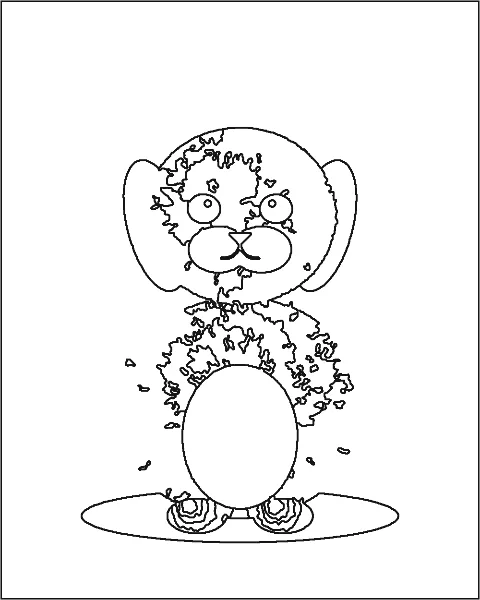
Shapes follows the colors in the photo. It cannot see a border that the camera did not record, and it does not invent a cartoon the way an AI service does.
Fix: put the pet against a darker or lighter background, or raise Colors.
Fix: crop close to the pet before choosing the photo, and raise Clean up specks.
Fix: use a sharp photo in which the pet fills most of the frame, ideally 1000 pixels or more.
Lines and Shapes both run in your browser, in a background thread of this page: nothing is uploaded, there is no account and no limit on pages, and no watermark. The optional AI lines kind is the one exception: it asks first, sends the photo once to be redrawn and keeps nothing. Reloading the page discards the photo; only slider settings are remembered. To check, open the page, turn off Wi-Fi or mobile data and convert a photo: it still works.
Tested advice for better pages. All guides
Fur is texture: thousands of tiny light and dark strokes. Lines traces them, which crowds the page. Shapes first smooths fur into flat areas while keeping strong edges such as the eyes and the outline, so the page has fewer, closed spaces to color.
Yes. An outline is drawn wherever two neighbouring areas meet, plus a frame around the photo, so no white space runs into another. Bucket fill in a drawing app stays inside one area.
About a second on a laptop and a few seconds on a phone; the page stays usable and the status line shows the progress. Photos up to 20 MB work: the photo is reduced to at most 3000 pixels on the long side first.
Yes. The same photo and settings always give the same page; nothing random is involved.